

How to use hi.buddy
Start.
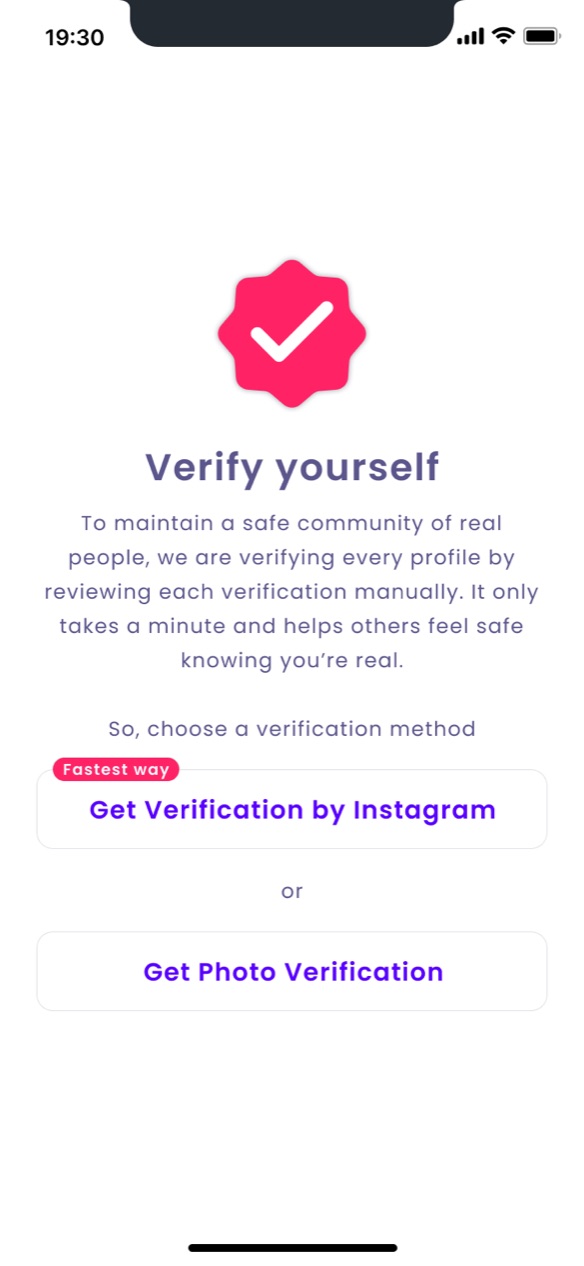
Once you've downloaded the app and signed up, there's one step left.
Verify your profile with your Instagram account or a selfie. Applications are reviewed within 2 to 4 days, and the result comes as an app notification. Once your profile is verified, you can join activities and create your own.
Explore.
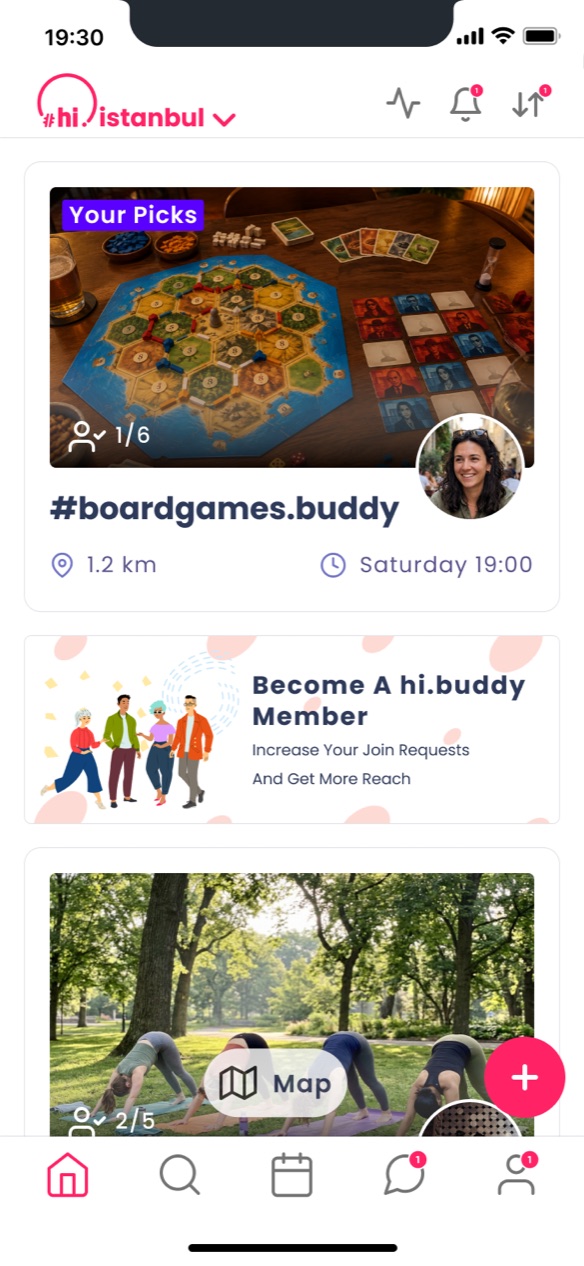
When you open the app, you see the activities created in your city.
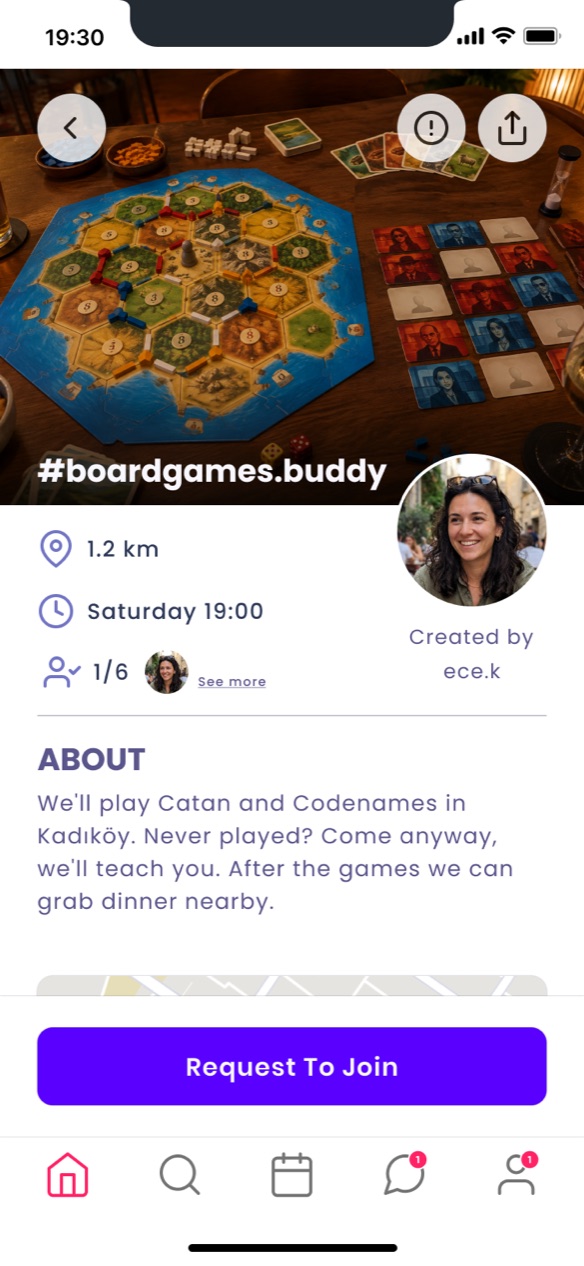
The home screen lists the activities in your city. Each one shows its hashtag, the day and time, how far it is from you and how many people have joined.
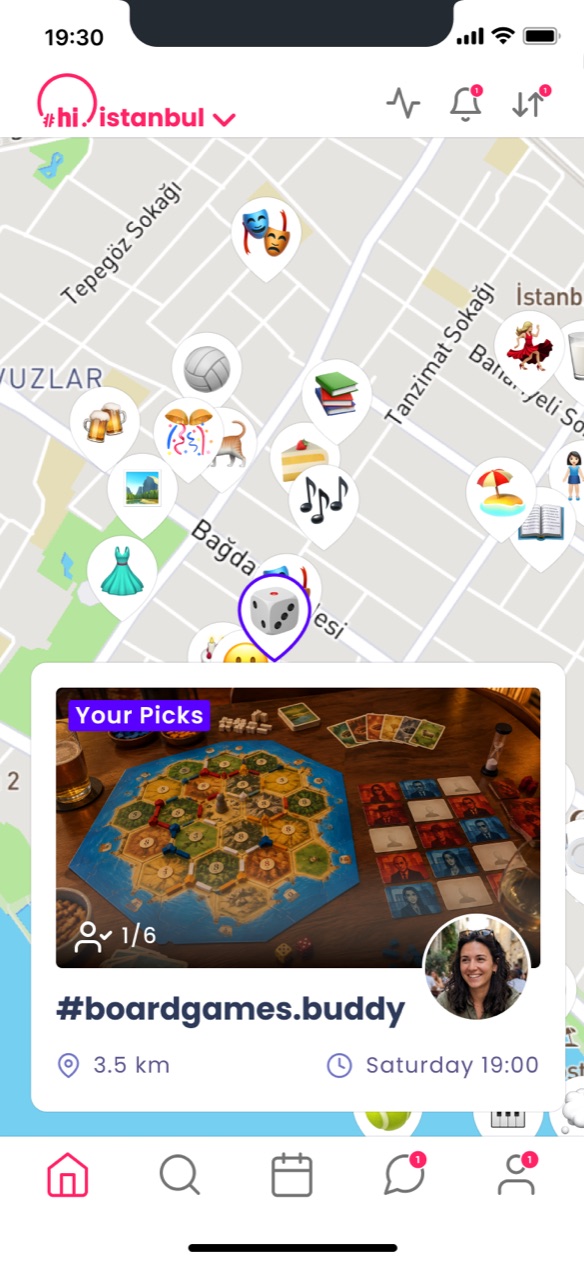
Tap the map button below the list to see the same activities on a map. Each pin shows the activity's emoji, so you can easily find the ones near you.
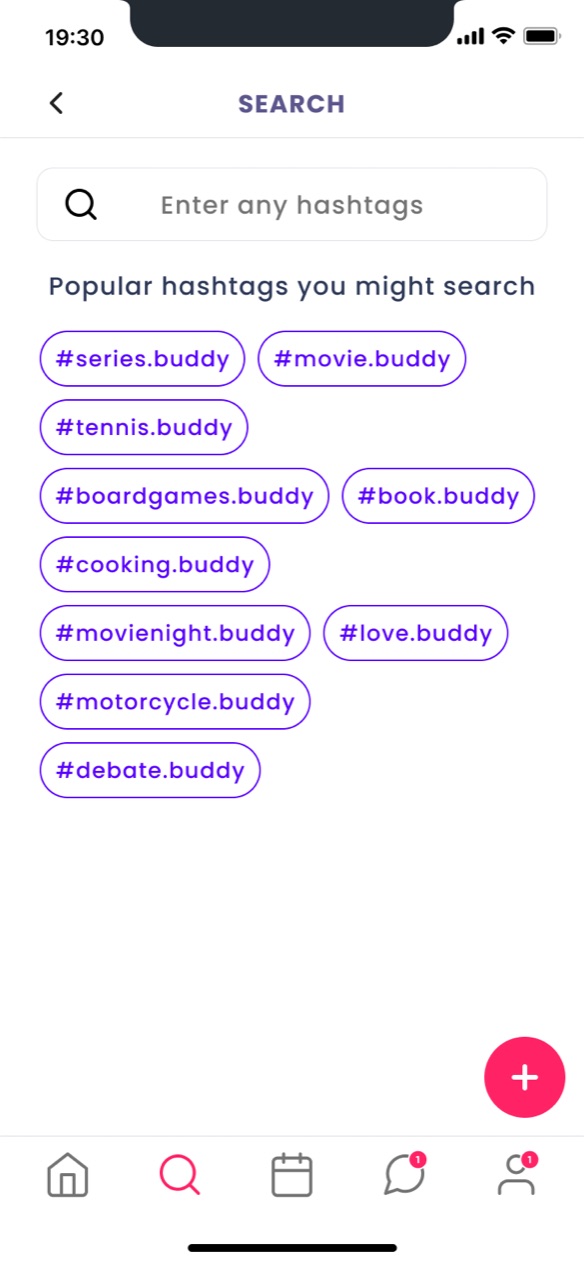
In the search tab, browse the most used hashtags or find an activity by its hashtag. Follow the hashtags you love and mute the ones you don't care about.
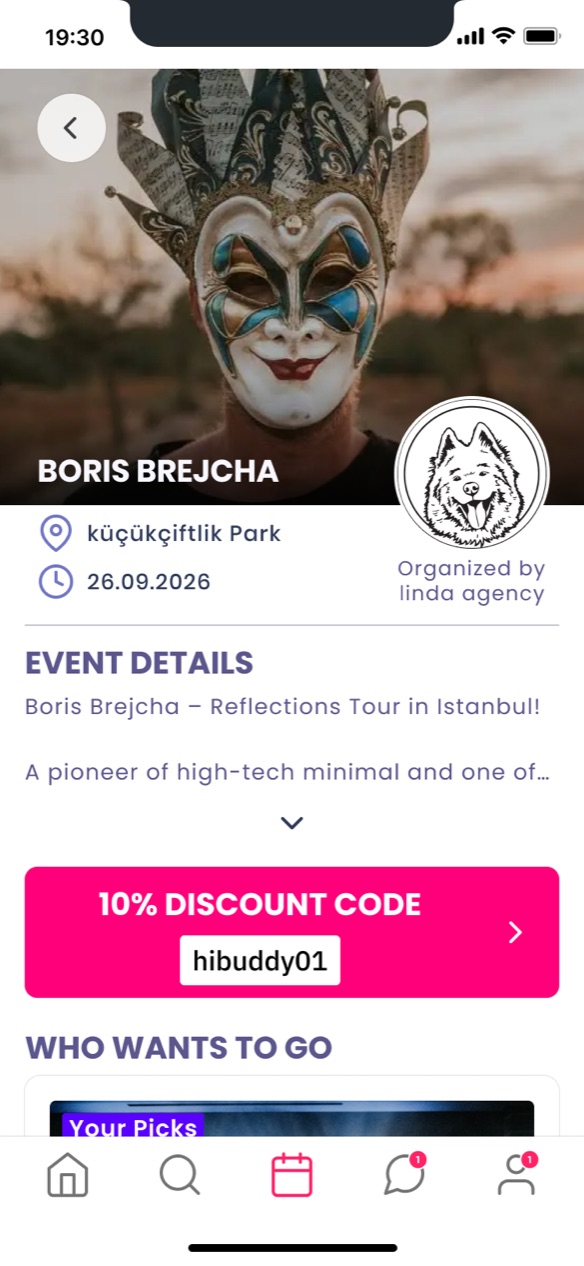
The events tab shows concerts, festivals and workshops in your city. Each event also shows who wants to go. If an event has a special discount, you see it on the event too.
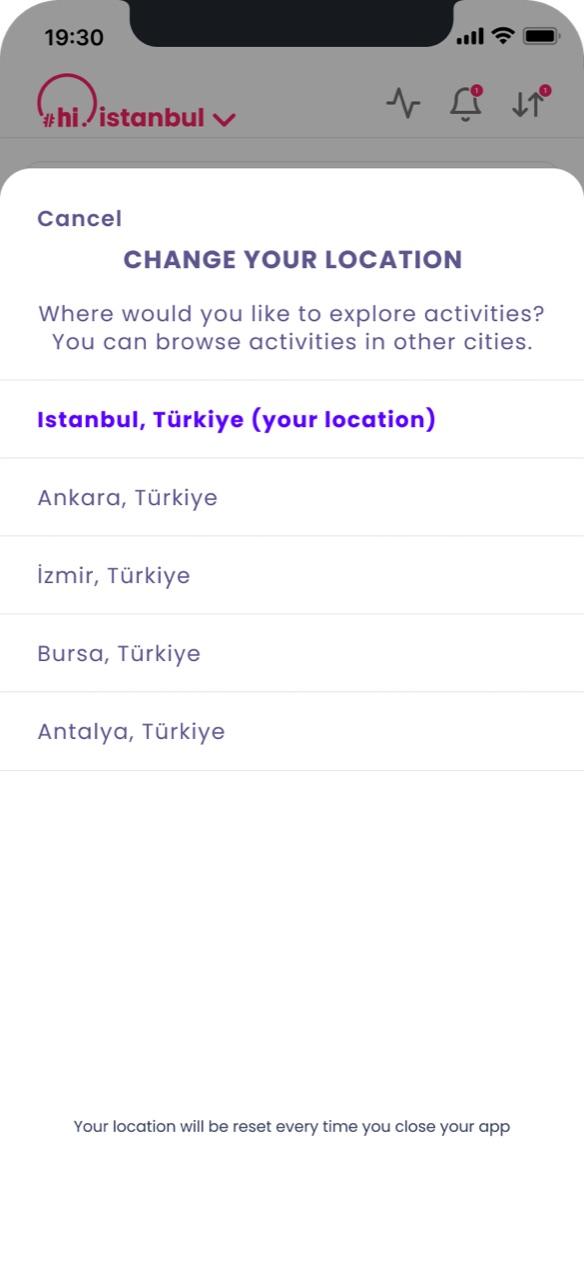
Tap the city name at the top of the home screen to look at activities in another city. To join or create an activity there, you need premium.
Join.
Send a join request to an activity you like. The host decides who comes.
Send a join request from the page of the activity you like. Your request goes to the host. Each request uses one of your weekly join requests.
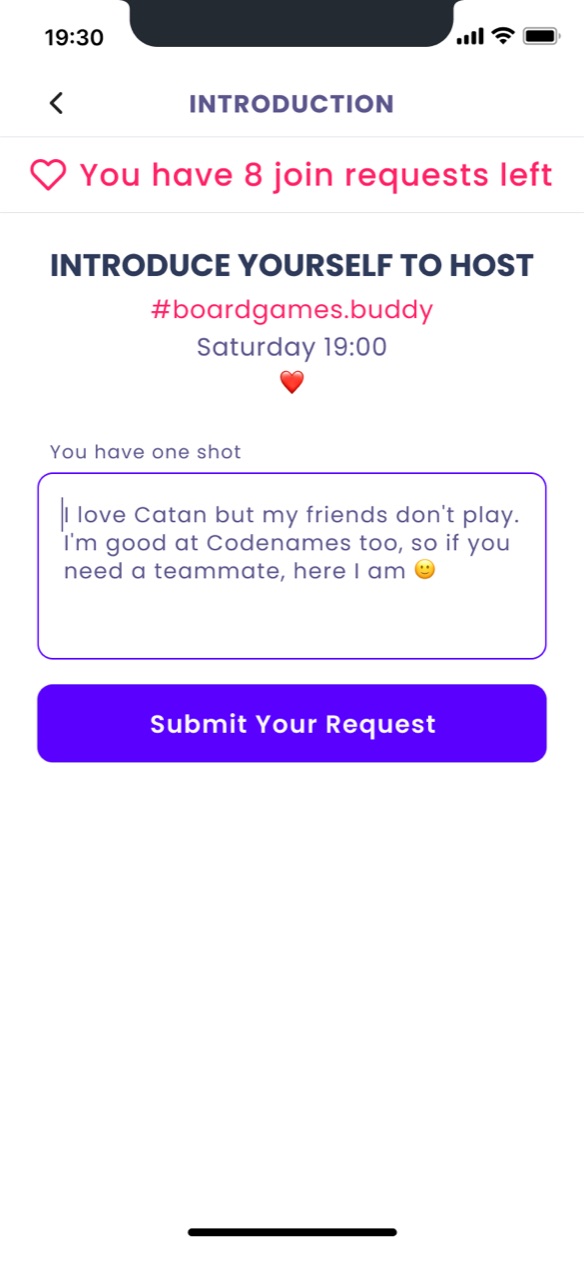
With your request, write a short note on why you want to come. The note can be up to 170 characters, and you can send it only once per activity.
Meet.
When your request is accepted, you get a notification. You plan together with the other participants and meet on the day.
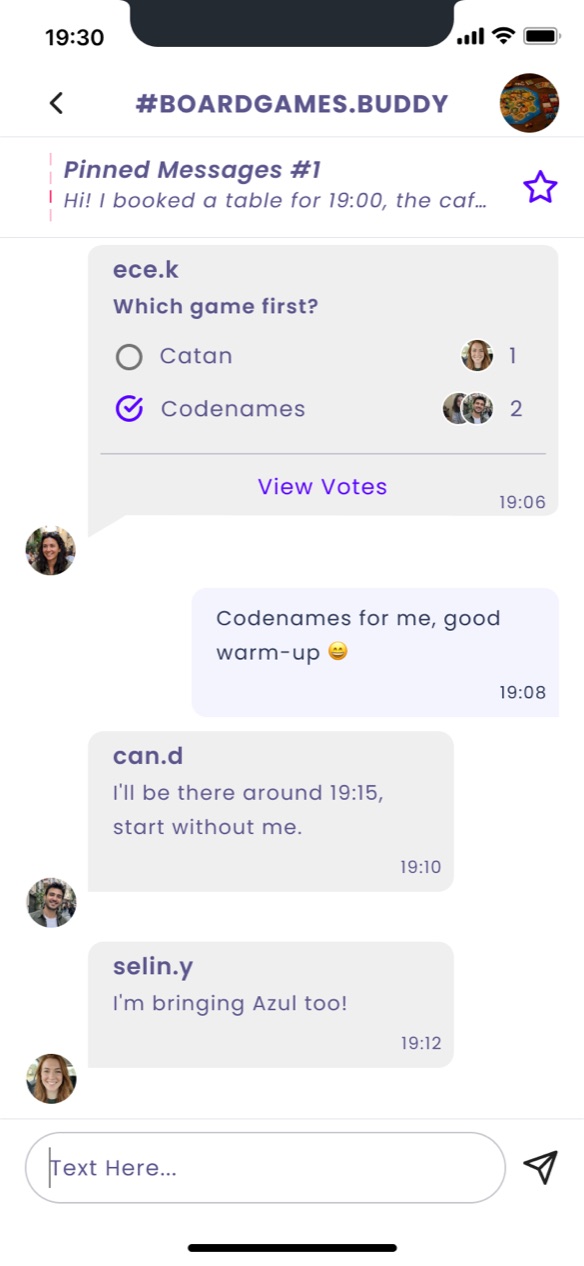
Once there are three of you, a group chat opens where you can talk through the details. You can share photos and locations, create polls and pin important messages. The chat closes 24 hours after the activity ends.
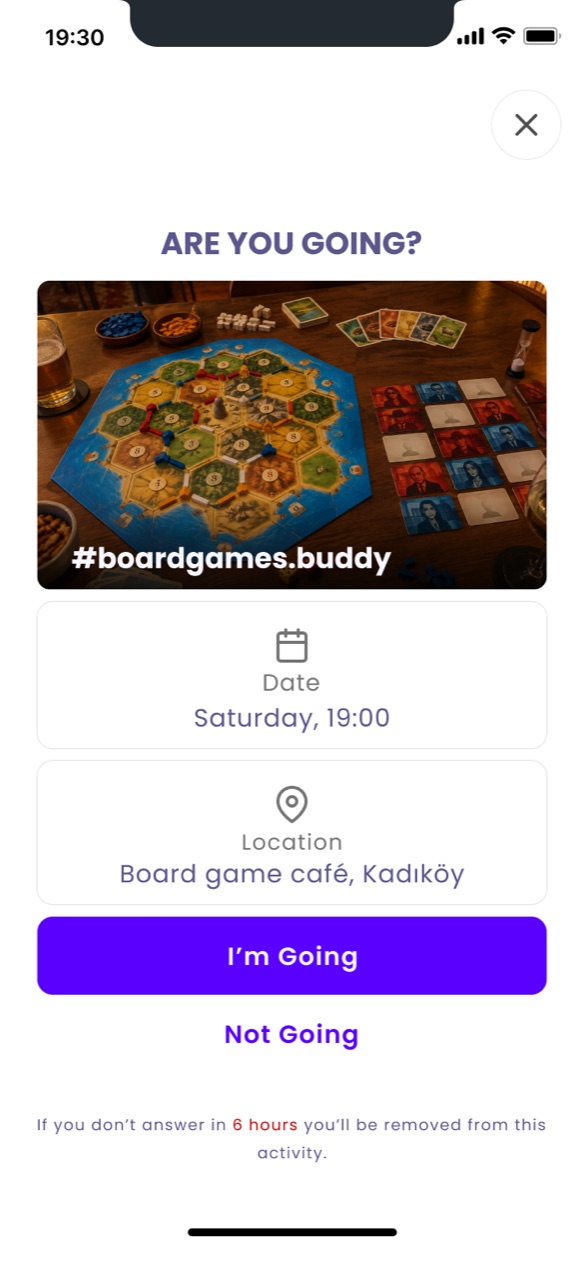
The host can send a check-in before you meet. You answer in the app whether you're coming. If you don't answer, you get a reminder; if you still don't answer, you're removed from the activity.
Have fun.
This is the real part: you do the activity with people you've just met.
When the activity ends, you get a form. You can rate the meetup and write what stayed with you. The host marks that you came, and the two of you become buddies.
To see the people you met again, create a new activity. That's how book clubs start on hi.buddy.
Create.
Can't find the activity you're looking for? Create it yourself.
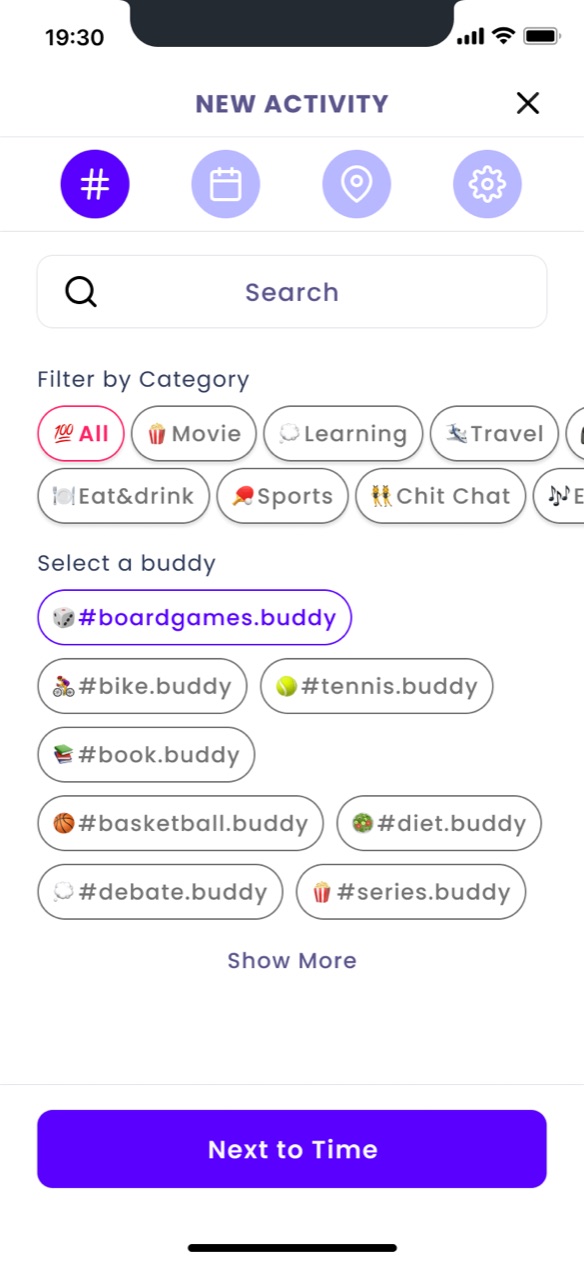
Tap the pink plus button at the bottom right of the home screen to create a new activity. You can also create one for an event you saw in the events tab. First, you choose the activity's hashtag or category.
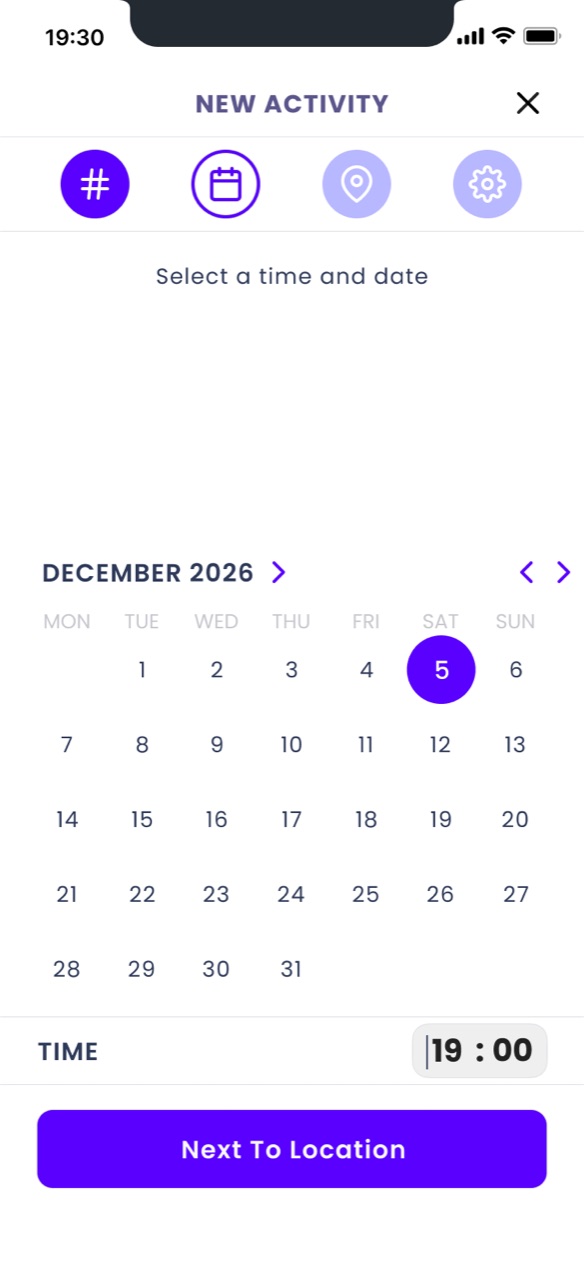
Choose the day and time, and mark the place on the map. You can change the date at most twice later. You can edit the place whenever you like.
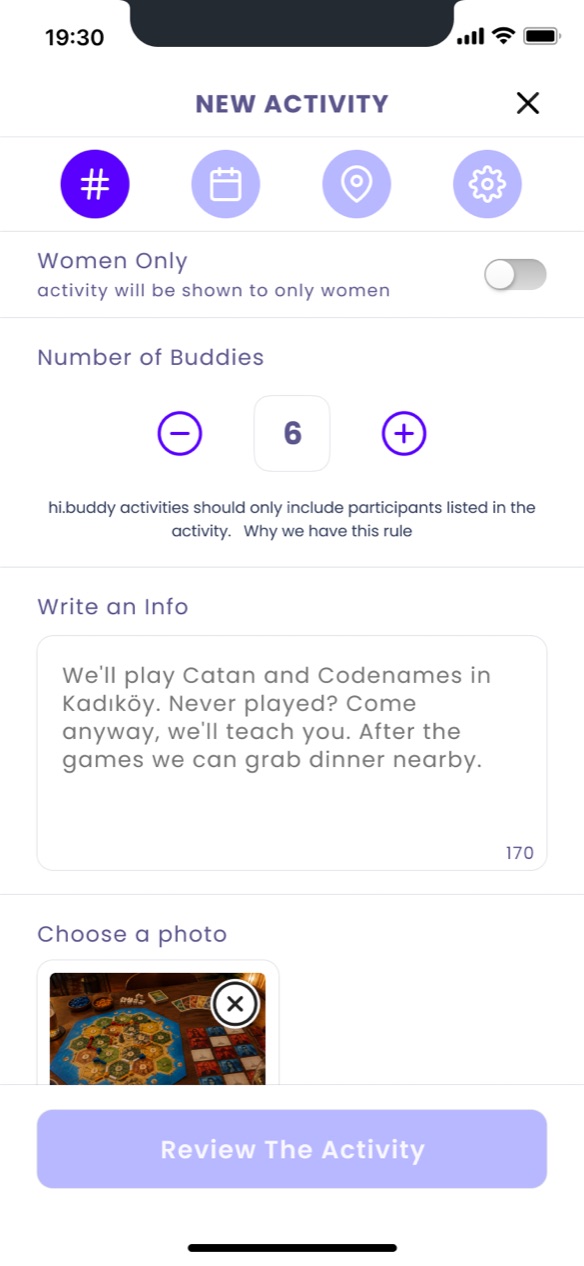
Choose how many people you want to meet, and add a short description and a photo. The description can be up to 170 characters. Up to 7 people can join besides the host; for activities created by premium users, it's 15. If you're a woman, you can make your activity women only, so only women see it.
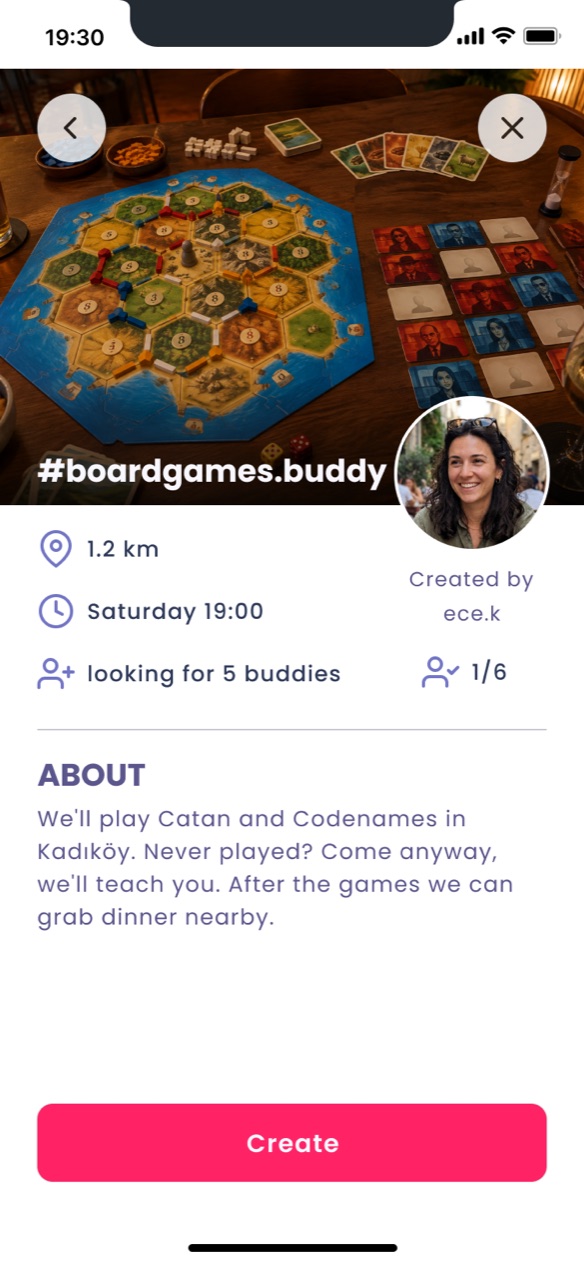
On the last screen, you see your activity once more before publishing. Once you publish it, it shows up among the activities in your city.
Choose.
People who want to join tell you why they'd like to come. You decide who comes.
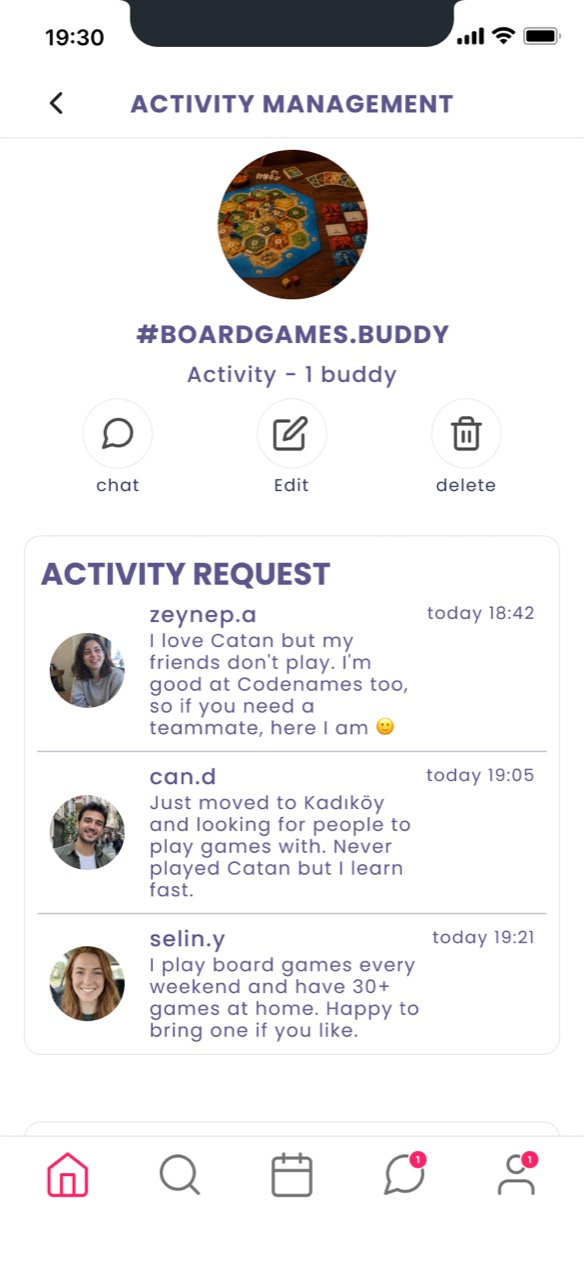
Everyone who wants to join your activity sends you a join request with a short note. In the note, they say why they want to come to that activity.
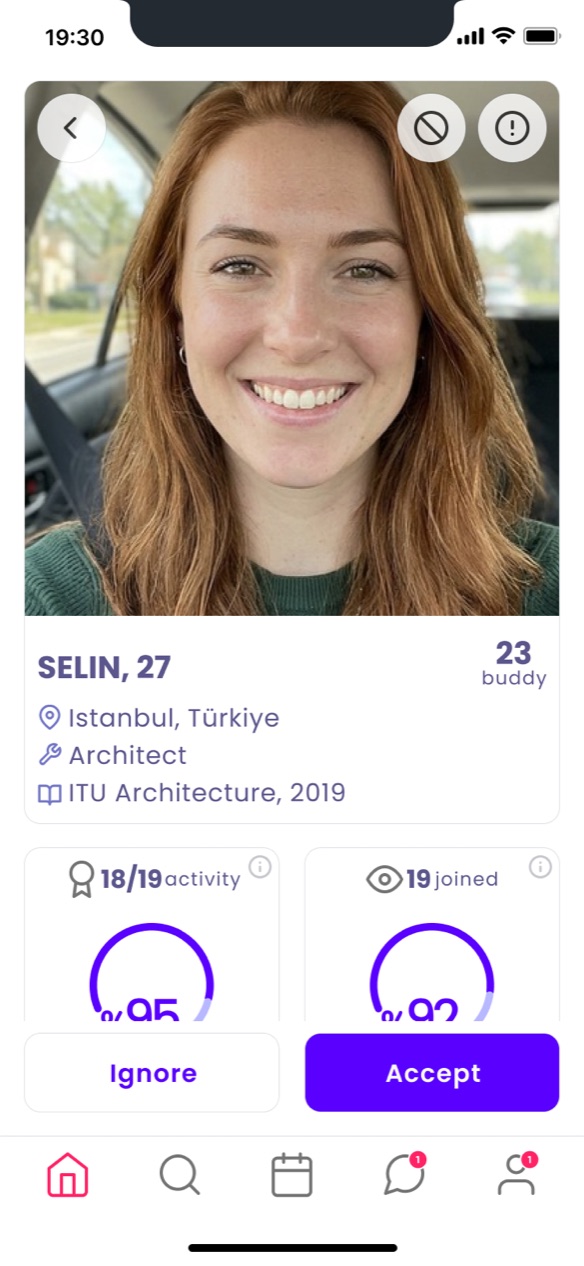
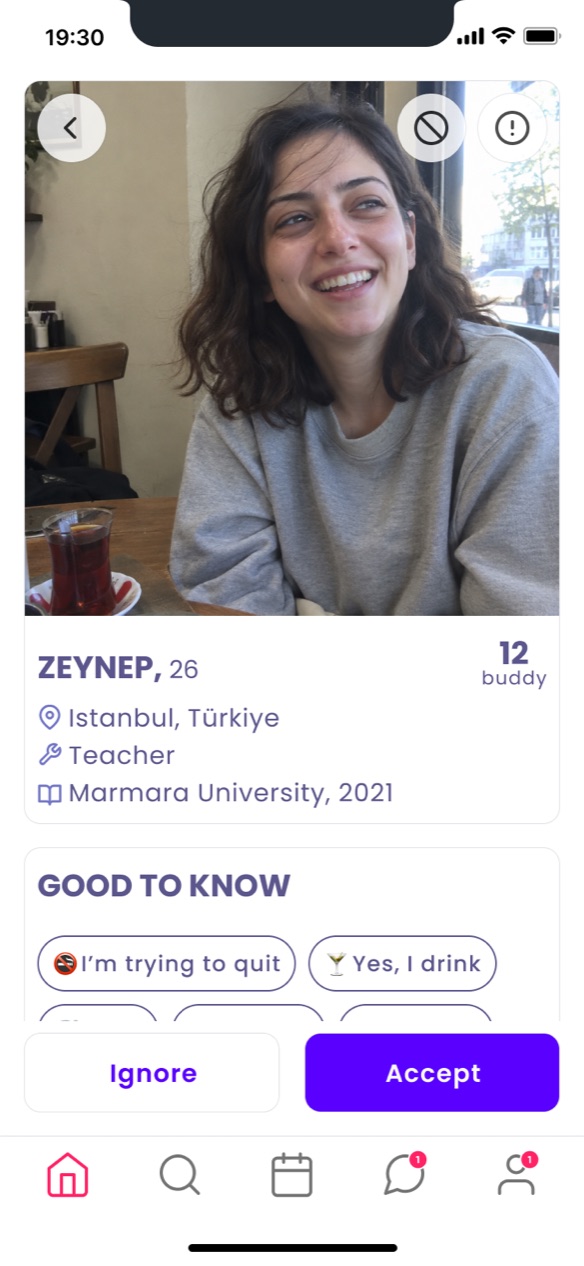
You can look at the profile of the person who sent the request. It also shows their participation rate: the share of activities they chose to join that they actually showed up to.
You can accept or ignore each request. Someone you ignore can't request the same activity again. If needed, you can later remove someone you accepted.
Meet.
You plan together with the people you accepted and meet on the day you set.
Once there are three of you, a group chat opens where you can talk through the details. You can share photos and locations, create polls and pin important messages. The chat closes 24 hours after the activity ends.
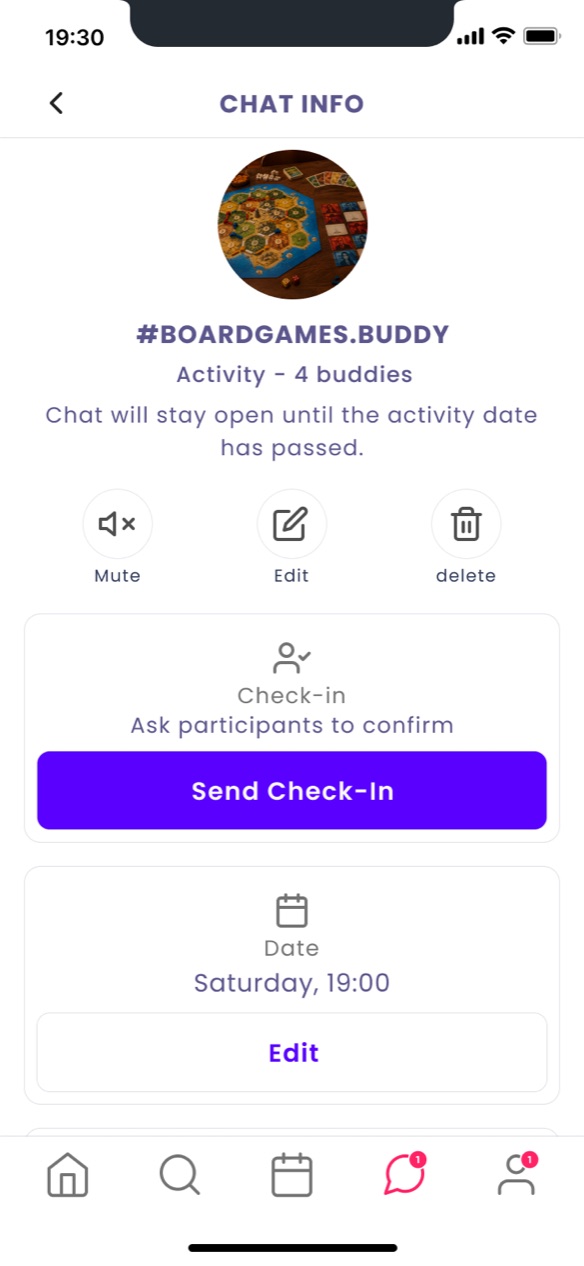
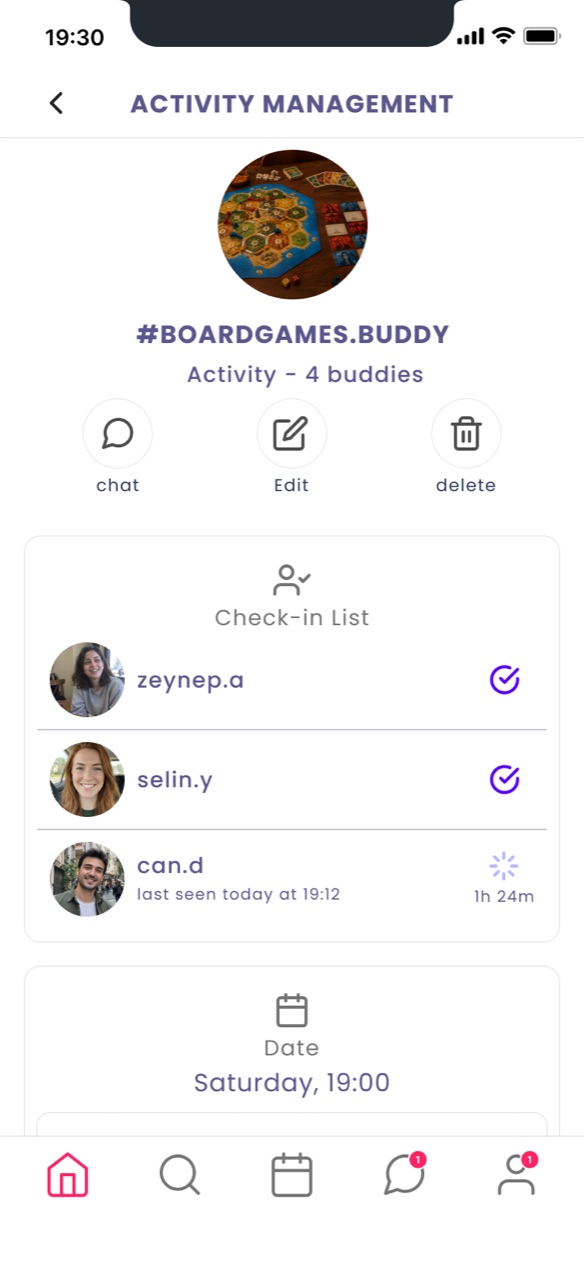
Before you meet, you can send a check-in to all participants. Each participant answers in the app whether they're coming. Anyone who doesn't answer gets a reminder; if they still don't answer, they're removed from the activity. Only the people you accepted come to the meetup.
Have fun.
This is the real part: you do the activity with people you've just met.
When the activity ends, you get a form. You mark who came, and you can rate the meetup and write what stayed with you. You become buddies with everyone who came.
To see the people you met again, create a new activity. That's how book clubs start on hi.buddy.
What do you want to do this week?